Weedmaps: Buy Local Weed
- 4.7
- Rating
- 5.00M
- Installs
- Free
- Price

 Analysis by App-foxy
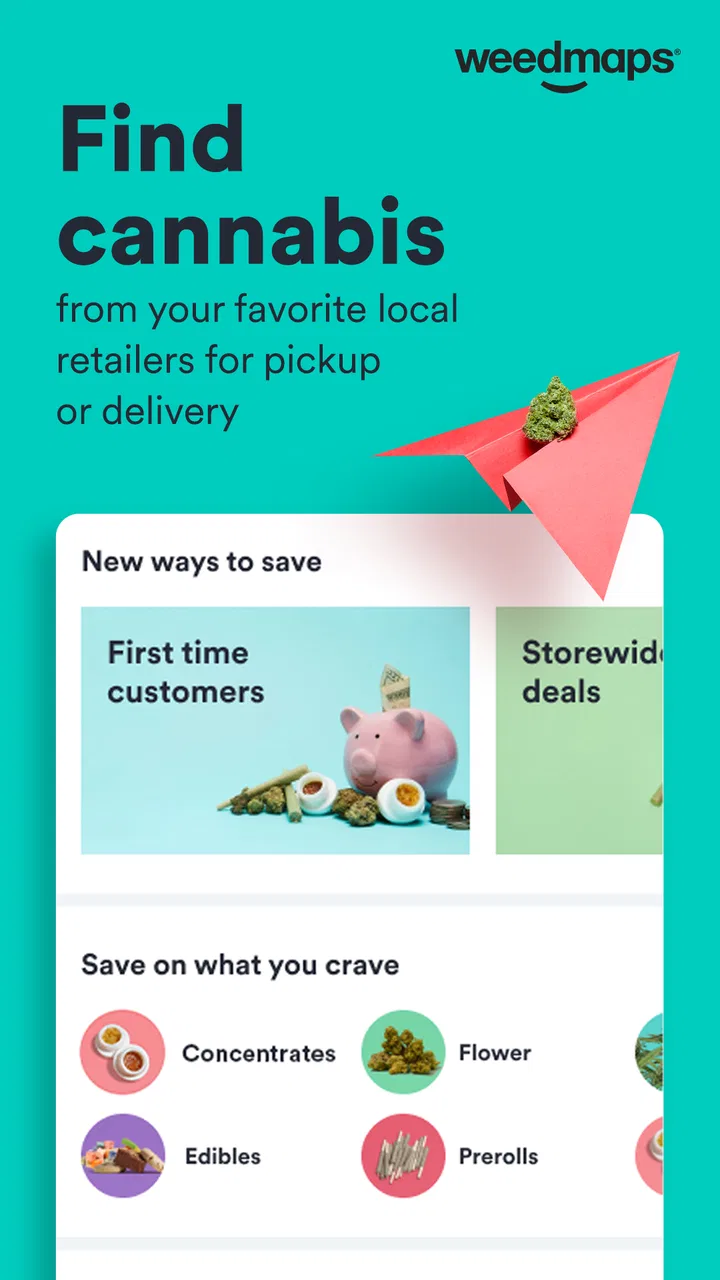
Weedmaps is the kind of lifestyle app I would open when I want to understand the cannabis options around me without jumping between random shop pages, phone calls, and delivery menus. It brings dispensary discovery, local deals, brand browsing, shopping, and delivery into one place. My overall impression is positive: the app is useful as a starting point, especially when I want to compare nearby choices, but it works best when I treat it as a marketplace and directory rather than a guarantee that every listing, menu, or delivery estimate will stay perfectly current.
The app is free, developed by Weedmaps, and aimed at adults. It has a mature 17+ content rating, so it is not intended for younger users. With a 4.7 average from roughly 97 thousand ratings and more than 5 million installs, it is clearly an established choice in its category. I also noticed that its long history matters: the app has been available since April 18, 2010, which helps explain why it feels built around real-world shopping rather than only around product browsing.
Getting past the first points of friction
The first place I expect many people to get stuck is not the product search itself, but the basic match between the app and their local situation. Cannabis availability, delivery, and retail access depend heavily on location. If the app is showing an empty area, surprisingly few stores, or options that do not make sense for the user, the first thing I would check is whether the selected location is correct. A manually entered address, city, or neighborhood can be more useful than assuming the phone has identified the right place.
You May Also Like

 Blood Strike: 2.5 Anniversary
Blood Strike’s Loadouts Turn Every Drop Into a Tactical Gamble
A close look at Blood Strike’s custom loadouts: how fast access to signature weapons reshapes its battle royale rhythm, rewards preparation, and narrows the gap between fights.

 Pandora - Music & Podcasts
Pandora’s Music Is Easy to Start, but Harder to Recover
Pandora’s strength is its low-effort path from a seed to a station. Its weak spot is how much confidence it asks you to place in connection, setup, and quiet recovery.

 8 Ball Pool
 Is Built on Rivalries, Rematches, and Routine
A close look at the rivalries, rematches, shared routines, and unanswered safety questions that turn a quick pool match into a persistent mobile community.

 Samsung Music
’s Quiet Strength Is Playing What You Already Own
Its reach comes less from spectacle than from dependable access to a personal library. That simplicity is both the app’s strongest retention engine and its ceiling.

 AccuWeather: Weather Radar
AccuWeather Review: A Quick, Clear Forecast for Everyday Decisions
For everyday plans, the best forecast is the one you can understand quickly. AccuWeather makes rain timing, radar, and local conditions easy to act on, with a few trade-offs.

 Hill Climb Racing
Why Hill Climb Racing Still Turns Crashes Into One More Run
A tiny car, a bumpy hill and one more upgrade: Hill Climb Racing keeps resurfacing because its simple chaos makes every near-miss feel personal.
More From Our News Desk



I would also avoid judging the service from a single search result. A store may appear in the directory while offering only pickup, while another may focus on delivery. Those are different shopping experiences, and the distinction can be easy to overlook when scanning a crowded results screen. Before spending time comparing products, I first decide whether I need delivery, pickup, or simply a nearby dispensary to visit. That small decision makes the rest of the app much easier to use.
Another common sticking point is expecting every listing to behave like a normal online retailer. A menu can help me discover products and deals, but the final shopping experience still depends on the individual dispensary or delivery provider. Product availability can change, deal terms can be limited, and the same brand may appear differently from one local seller to another. I therefore use the listing to narrow my choices, then read the store information carefully before treating an item as available for purchase.
The most important habit is to verify the store details before building a full basket. This is particularly useful when I am traveling, trying a new neighborhood, or looking for a specific product type. It prevents the frustrating situation where I compare several items only to discover that the selected shop does not serve my location or does not offer the fulfillment method I need.
What I check before relying on a listing
I start by confirming the location and then compare several nearby results instead of choosing the first one automatically. I look at whether the result is a dispensary, a delivery option, or a brand page, because each serves a different purpose. I also pay attention to the store’s own information, including hours and ordering instructions when they are shown. These checks take less time than recovering from an order that cannot be completed.
Deals deserve their own pause. A discount can look attractive in a search result but may apply only to selected products, a particular fulfillment method, or a certain store. I do not assume that a deal shown beside one product automatically applies to another product from the same brand. When I am comparing prices, I use the displayed offer as a reason to investigate, not as the final total in my head.
For brand discovery, I find the app more useful when I already have a general idea of what I want to explore. Browsing brands can help me move from a vague search toward a shortlist, but I would not use a brand page alone to decide what to buy. Local inventory and store-specific menus matter more at the moment of purchase. This is one of the app’s practical trade-offs: it is good at connecting discovery with local shopping, but the local seller remains an important part of the experience.
A setup routine that saves time
My preferred setup is simple. I first install the current version, which is 9.80.0, on a device running Android 7.0 or later. Then I set the correct location, browse a few local results, and open one or two store pages before searching for a product. This gives me a quick sense of what is actually available in my area and whether the app is presenting the kind of service I need.
If the app appears stuck during setup, I would begin with ordinary checks rather than assuming the account or marketplace is broken. I would confirm that the phone has a working internet connection, close and reopen the app, and check whether the location is still correct. If the problem affects only one store or one item, I would compare another listing before treating it as a general app failure.
I also recommend keeping expectations realistic about location accuracy. A phone can identify the wrong neighborhood, especially when a user is near a boundary or temporarily away from home. Entering the intended shopping location directly is a practical workaround. It is also useful for planning a purchase before traveling, although I would still recheck the location when I arrive.
Age and local eligibility are not minor details here. Because the app carries a mature 17+ rating and deals with cannabis shopping, it is not suitable for children or casual browsing by younger users. Adults should also pay attention to the rules that apply where they are shopping. The app can help locate options, but it does not replace the user’s responsibility to follow local requirements.
Recovering when a search, menu, or order goes wrong
When a result disappears or a menu does not load, I use a layered recovery process. First I refresh the search and repeat it with a broader term. A very specific search can fail simply because the local menu uses a different product name or because the item has temporarily left inventory. If the broader search produces results, I narrow it again after choosing the relevant store or brand.
If the issue is limited to one page, I return to the results and open the listing again rather than repeatedly tapping the same stalled screen. I also try a different nearby store. This is not just a technical workaround: it helps reveal whether the problem belongs to the app interface, the individual menu, or the local seller’s current information.
For delivery, I would confirm the address and service area before spending time on product selection. A delivery menu can be visible while the exact address is outside the active area or unavailable at that moment. If delivery does not proceed, pickup may be a useful comparison, but I would not assume that switching methods preserves the same deals or inventory. The fulfillment method can change what is offered.
When a product is no longer available, I look for a comparable item through the same store before abandoning the search. Searching by brand alone may lead me to a different seller, while searching within the store can reveal a similar option that is actually obtainable. This is one of the less obvious strengths of using a local marketplace: the app can help me recover from a missing item by showing alternatives nearby, rather than forcing me to start from nothing.
Another useful recovery tactic is to separate discovery from checkout. I may use the app to identify a brand or product category, then revisit the store page after a short break to confirm that the item is still shown. This avoids treating a long-open menu as a live promise. It is especially sensible when I am planning a larger shopping trip or relying on delivery instead of visiting in person.
When the app is not the real problem
Not every failed action points to a software defect. Sometimes the store has changed its hours, paused delivery, removed an item, or updated its menu independently. If one listing behaves strangely while other local pages work normally, I suspect the individual seller’s information first. The app is the window into that marketplace, but it cannot make an unavailable store fulfill an order.
Network conditions can create a similar illusion. A weak connection may load the search page but fail when images, menus, or ordering details are requested. I would test another connection or wait briefly before repeatedly changing settings. If other apps are also slow, the wider connection is the more likely cause.
Location mismatch is another frequent culprit. Someone searching from work, a hotel, or a moving vehicle may see results for the wrong area. That can make the app look empty or misleading even though the intended neighborhood has suitable options. I always recheck the active location before concluding that Weedmaps is not useful in a particular place.
There is also a difference between information and eligibility. Seeing a dispensary or delivery option does not mean every user can complete every purchase. Age, local rules, store requirements, and service boundaries can affect the final step. The sensible approach is to use the app for discovery and comparison while treating the store’s current instructions and applicable regulations as the final authority.
How it compares with ordinary alternatives
Compared with searching the web for individual dispensaries, Weedmaps gives me a more focused route from location to local options. A normal search engine may produce store websites, map results, social pages, and outdated articles mixed together. This app is more practical when I want cannabis-specific browsing, local deals, brand discovery, and delivery options in one environment.
Compared with using a single dispensary’s own ordering page, the app is better for comparison. I can explore multiple sellers rather than committing to the first store I already know. That is valuable for travelers, people moving to a new neighborhood, and anyone trying to compare pickup with delivery. The trade-off is that a direct store site may provide the clearest information about that store’s own policies and fulfillment process.
Compared with asking friends for recommendations, the app is more useful for immediate logistics but less personal. A friend may know which local shop has reliable service or a helpful staff, while the app is better at showing what is nearby and what is currently being promoted. I would use both types of information when the purchase matters: personal experience for trust, and the app for practical availability.
I would not choose it as a general wellness or medical reference. Its value is shopping discovery and local access, not replacing professional advice or helping someone make health decisions. Someone who wants only educational information, has no legal access to cannabis, or dislikes marketplace-style browsing may be better served by another kind of resource.
Everyday situations where it earns its place
Imagine I am visiting a new area and want to avoid calling several dispensaries. I can open the app, set the destination, compare nearby stores, inspect whether delivery or pickup is offered, and make a shortlist. Before committing, I check the store details and the current menu again. That workflow is faster than collecting scattered information from multiple websites, and it gives me a clearer view of local choices.
Another realistic use is planning a routine purchase without being loyal to one store. I might search for a familiar brand, compare which nearby seller carries it, then check whether a local deal changes the better option. The app is most helpful here when I keep the comparison grounded in the actual fulfillment method and location rather than focusing only on the headline discount.
It can also help someone who is unsure where to begin, provided they are already legally able to shop. Browsing stores first gives a sense of the local market, while browsing brands can make a broad search more manageable. I would still encourage a cautious approach: compare product information, avoid rushing because of a deal, and confirm the final store details before ordering.
On the other hand, I would skip it if I need a guaranteed, unchanging inventory list or if I already have a trusted dispensary with a reliable direct ordering system. The extra comparison layer may not be worth it for a person who always buys from the same place. I would also skip it for anyone under the mature age rating or anyone who cannot legally purchase cannabis in their location.
My practical verdict
My experience with Weedmaps is that it solves a real problem: finding and comparing local cannabis shopping options in one dedicated app. The free price makes it easy to try, and its strong 4.7 average across around 97 thousand ratings suggests that many users find the service worthwhile. The developer, Weedmaps, has kept the product focused on dispensaries, brands, deals, shopping, and delivery rather than turning it into an unrelated lifestyle feed.
The app is not frictionless. Location errors, changing menus, store-specific rules, and delivery limitations can all make a smooth-looking search require a second check. I would not blame the app for every mismatch, but I would also not treat every listing as a final guarantee. The best results come from confirming the location, checking the fulfillment method, comparing more than one seller, and revisiting the menu before completing a purchase.
For adults who want a practical way to discover nearby dispensaries, compare local options, explore brands, or investigate delivery, I think it is worth installing. For someone who wants only a single store’s most authoritative information, a direct retailer channel may be simpler. My recommendation is therefore positive but deliberate: use Weedmaps as a smart comparison and discovery tool, then make the final decision using the current store details and the rules that apply to you.
FAQs for Weedmaps: Buy Local Weed
01What is Weedmaps: Buy Local Weed used for?
Weedmaps is a marketplace and discovery app for finding licensed cannabis dispensaries, delivery services, products, doctors, and related businesses in supported locations. After entering your area, you can browse menus, compare prices, read customer reviews, check store details, and view ordering or pickup options. Availability depends heavily on local laws, licensing, and whether cannabis services are permitted in your region.
02Can I order cannabis directly through Weedmaps?
In many supported areas, Weedmaps lets users browse dispensary menus and place orders for pickup or delivery, although the exact process varies by business. Some listings only provide information, while others accept orders through the app or redirect you to the retailer. You will generally need to meet the legal age requirement, provide valid identification, and follow local purchase limits.
03Is Weedmaps available everywhere, and is it legal to use?
Weedmaps is not available with the same features in every country, state, or city. The app displays businesses operating in locations where cannabis services are legally permitted, but local regulations can change and may restrict recreational sales, medical purchases, delivery, or advertising. Before using the app, confirm the cannabis laws in your area and only purchase from properly licensed providers.
04Do I need an account or identification to use Weedmaps?
You may be able to browse some listings without creating an account, but an account can be required for ordering, saving favorites, receiving updates, or managing delivery information. Dispensaries and delivery services commonly require government-issued identification to verify age and eligibility at checkout or upon pickup. The app itself does not replace the retailer’s legal verification process.
05Are the prices, menus, and product information on Weedmaps always accurate?
Weedmaps menus and business information are supplied or updated by participating retailers, so accuracy can vary. Products may sell out, prices may change, taxes or delivery fees may be added, and promotions can have specific conditions. Before completing a purchase, review the final order total, product details, store policies, and any required minimums directly with the dispensary.
Pros
- Wide selection of licensed dispensaries and cannabis products
- Useful menus
- prices
- reviews
- and store details in one place
- Pickup and delivery options are clearly marked where available
- Deals and promotions can help reduce the cost of purchases
- Map-based search makes finding nearby retailers convenient
Cons
- Availability and delivery coverage vary significantly by location
- Product menus may become outdated if stores do not update inventory
- Age verification and local legal restrictions apply
- Some listings may include limited or inconsistent product information
- Delivery fees
- minimums
- and taxes can increase the final price

Weedmaps: Buy Local Weed
Gallery